
How to Make Viral ‘Bachcha Hai Tu Mera’ Memes from Dhurandhar 2: The Revenge (Jameel Jamali Trend)
The internet is currently flooded with one viral dialogue — “Bachcha Hai Tu Mera!”
GENERAL SEO
3/30/20262 min read
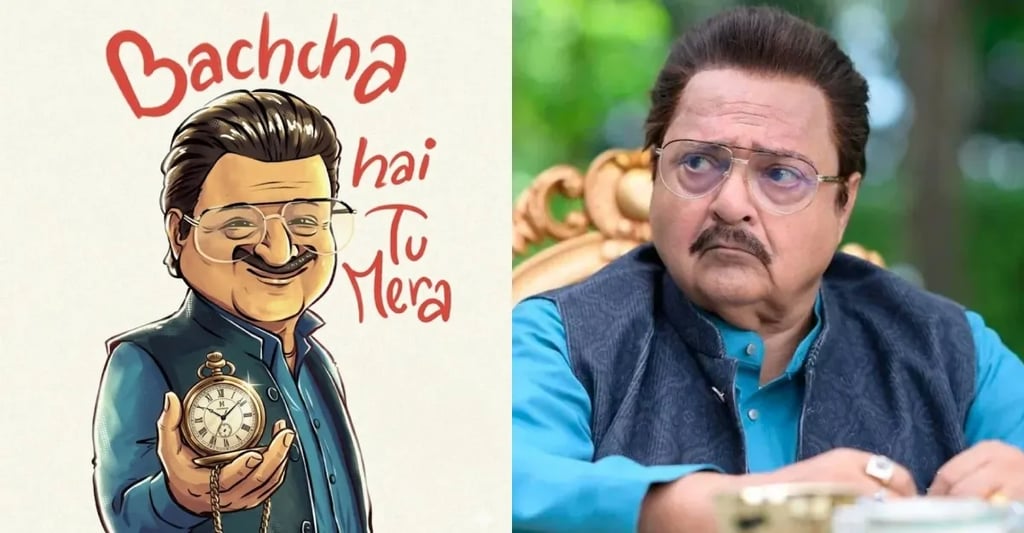
How to Make Viral ‘Bachcha Hai Tu Mera’ Memes from Dhurandhar 2: The Revenge (Jameel Jamali Trend)
The internet is currently flooded with one viral dialogue —
“Bachcha Hai Tu Mera!”
This powerful and slightly funny dialogue from Dhurandhar 2: The Revenge featuring the iconic character Jameel Jamali has taken over Instagram Reels, YouTube Shorts, and WhatsApp status.
From funny edits to savage replies, this meme trend is everywhere. The best part?
👉 You can create your own viral meme in just 2 minutes using tools like Google Gemini and ChatGPT.
In this blog, we will show you step-by-step how to create trending memes quickly, even if you are a beginner.
Why ‘Bachcha Hai Tu Mera’ Meme is Going Viral?
Before jumping into creation, let’s understand why this trend exploded:
Strong emotional + funny tone
Perfect for savage replies
Easy to remix in different situations
Relatable for Indian audience
Works well with reels + short videos
This makes it a perfect viral content formula.
What You Need to Create This Meme
You only need 3 simple things:
A dialogue clip or image from Dhurandhar 2
A meme idea (funny or relatable)
Free AI tools like:
ChatGPT (for captions & ideas)
Google Gemini (for content generation)
Canva / CapCut (for editing)
Step-by-Step: Create Viral Meme in 2 Minutes
Step 1: Generate Meme Idea Using ChatGPT
Open ChatGPT and type:
Prompt Example:
Give me 10 funny meme ideas using “Bachcha Hai Tu Mera” dialogue for Instagram reels
You’ll instantly get ideas like:
When junior argues with senior
Friend giving relationship advice
Boss talking to fresher
Gym trainer vs beginner
👉 Pick the most relatable one.
Step 2: Use Google Gemini for Creative Punchlines
Now go to Google Gemini and refine your idea.
Prompt Example:
Write a funny Hindi meme caption using “Bachcha Hai Tu Mera” for office situation
You’ll get polished lines like:
“Experience ke naam pe 6 mahine aur attitude full CEO wala… bachcha hai tu mera!”
👉 Gemini helps make your content more natural and viral-ready.
Step 3: Create Meme Using Canva or CapCut
Now bring your meme to life:
Option 1: Image Meme (Fastest)
Open Canva
Upload Jameel Jamali image
Add text:
Top: Situation
Bottom: “Bachcha Hai Tu Mera”
Option 2: Reel / Short Video (Best for Virality)
Use CapCut
Add video clip or still image
Insert trending audio
Add subtitles + zoom effect
👉 Keep video under 10 seconds for maximum reach.
Step 4: Add Viral Elements
To increase chances of going viral:
Use bold captions
Add Hindi + Hinglish mix
Keep it relatable
Add expressions or reaction zoom
Ready-to-Use Viral Meme Ideas
Here are some quick ideas you can directly use:
Client: “Budget 500 mein website bana do”
Reply: Bachcha hai tu meraGym Beginner: “2 din mein body bana lunga”
Trainer: Bachcha hai tu meraNew Freelancer: “Ek mahine mein lakh kamaunga”
Senior: Bachcha hai tu meraStudent after watching one YouTube video:
“Main expert ho gaya”
Reality: Bachcha hai tu mera
Best Hashtags for Viral Reach
Use these hashtags while posting:
#BachchaHaiTuMera
#JameelJamali
#Dhurandhar2
#ViralMeme
#IndianMemes
#ReelTrend
#FunnyReels
#TrendingNow
Pro Tips to Go Viral Faster
Post during peak time (7–10 PM)
Use trending audio
Keep content short & punchy
Add subtitles (very important)
Engage in comments